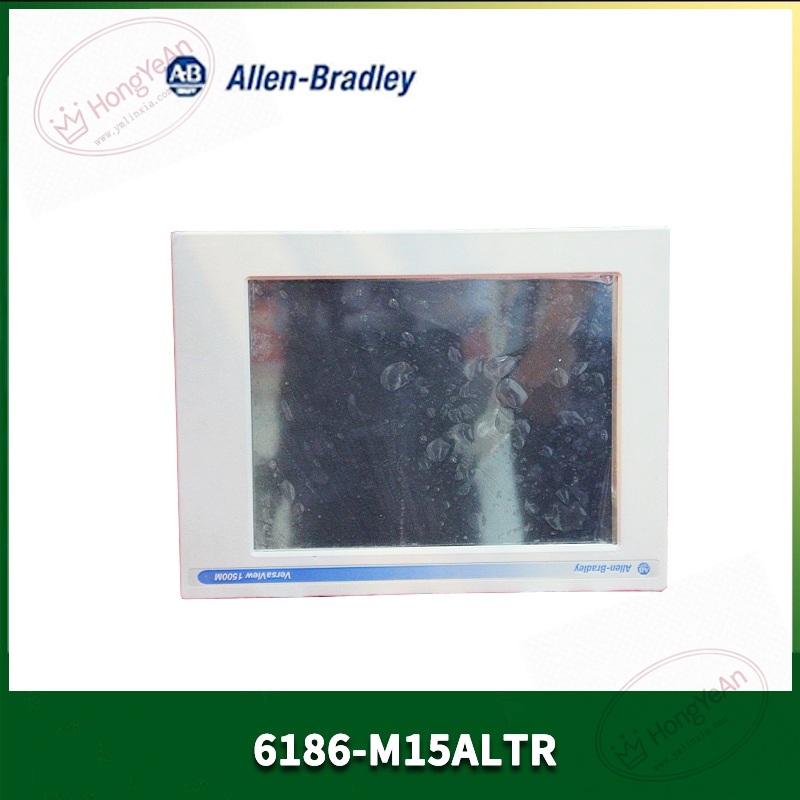
Description
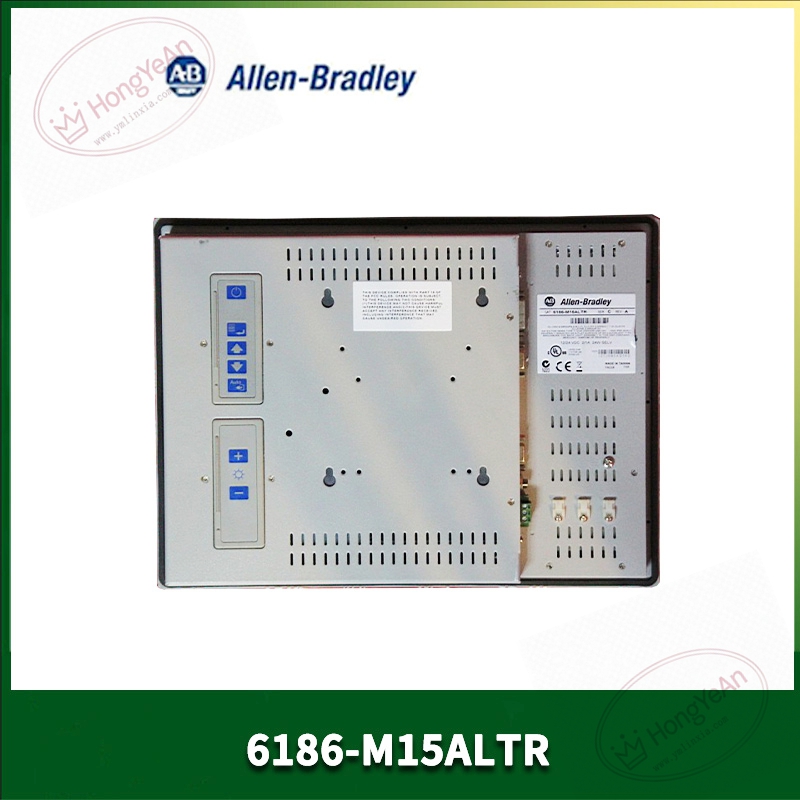
Key Technical Parameters
Display panel: 15‑inch color TFT‑LCD, native resolution 1024×768 (XGA), 4:3 aspect ratio; brightness 250cd/m², contrast ratio 500:1, typical response time 16 ms; CCFL cold‑cathode backlight, limited service life under long‑time operation. Touch hardware: Analog resistive touch‑screen, anti‑glare surface treatment; supports glove‑touch operation; touch signal transmitted via USB interface; touch driver needs to be installed on host industrial computer side. Video input: Single‑channel VGA analog RGB signal input, video bandwidth 80MHz; built‑in OSD on‑screen menu, adjustable brightness, contrast, clock‑phase, horizontal‑vertical position, OSD lock‑out function. Power specification: 90‑264VAC wide‑range auto‑ranging power input, frequency 47‑63Hz; maximum power consumption 24W; AC terminal block wiring mode. Mechanical structure: Aluminum alloy front bezel; multiple installation ways: cabinet panel‑mount, desktop bench‑mount, standard rack‑mount; overall dimension 410 × 309 × 61 mm, total weight approx 6.44kg. Environmental & mechanical resistance: Operating temperature 5‑50℃; storage‑20‑60℃; relative humidity 5‑95% non‑condensing. Vibration resistance 2g peak (10‑63Hz); shock resistance 20g, 11ms half‑sine pulse; Class I Div 2 hazardous‑area certification, suitable for partial explosion‑risk industrial zones. Protection rating: Front‑panel NEMA 12,13, IP54 when panel‑mounted with sealing gasket; rear side without dust‑proof protection, must be installed inside control cabinet. Interface resource: VGA video input port, USB‑B touch signal interface; rear‑side OSD physical button group; no built‑in network port, no built‑in controller, pure display terminal, must match external industrial host computer. Important note: This is only an industrial monitor, without independent operation system; all logic and HMI projects run on matched industrial PC; CCFL backlight is aging‑prone wearing part for long‑term running old‑site equipment.
Practical Application Features
Rugged aluminum bezel and reinforced screen structure, adapts to workshop vibration, dust, oil‑mist industrial cabinet environment, supports Class I Div 2 hazardous‑area application scenarios. Multiple installation modes satisfy cabinet embedded installation, desktop operation station and cabinet rack installation demands. Resistive anti‑glare touch‑screen, can normally operate with thick‑work gloves, suitable for heavy‑industry production‑site operators. Wide‑range AC power supply adapts to unstable factory power‑grid fluctuation; OSD‑lock function prevents operators from mis‑adjusting display parameters. Only responsible for video display and touch‑signal transmission, cooperate with VersaView series industrial computer to constitute complete HMI operation station. Main application scenarios: chemical auxiliary control, oil‑gas auxiliary equipment, old‑generation workshop industrial‑computer operation panel, equipment renovation spare‑part replacement project.
Field Installation & Commissioning Guidance
Cut off AC power supply before installation. If panel‑mount, open cabinet cut‑out strictly according to official dimension drawing, install matched sealing gasket, evenly tighten mounting‑clamps to guarantee front‑panel protection performance. Select corresponding accessories when adopting rack‑mount or desktop‑mount installation. Connect VGA video cable to host industrial‑computer graphic output port; connect USB‑B touch cable to host USB port, install matched touch‑screen driver on host operating‑system. Access 90‑264VAC power supply; add fuse protection on AC loop, avoid surge‑voltage damage to monitor internal power‑supply board. Adjust screen display effect via rear‑panel OSD menu; lock OSD function after commissioning to avoid mis‑operation. Keep monitor away from frequency‑converter, high‑power contactor and motor power‑cables; separate video and touch‑signal cables from high‑power wiring to reduce electromagnetic interference. After commissioning, verify video display effect, touch‑point accuracy, touch‑signal feedback continuity. For long‑term running equipment, pay regular attention to CCFL backlight aging phenomenon such as screen darkening, yellowing.
In‑Site Troubleshooting Reference
- Screen no display, power‑indicator off: Check AC power‑supply input voltage and terminal fastening; inspect internal power‑supply board fuse damage.
- Power‑indicator on but no picture: Verify VGA cable connection status, confirm host computer normal video output; adjust OSD menu signal‑source parameters.
- Touch‑screen no‑response or offset: Check USB‑B touch‑cable connection status; verify host‑side touch‑driver normal operation; perform touch‑calibration at host‑system; resistive touch‑film aging requires replacement of touch‑screen assembly.
- Screen yellowing, brightness obviously decreased: CCFL backlight tube aging, typical failure of long‑term service unit, need replace backlight assembly.
- Picture jitter, water‑ripple interference: Poor cabinet grounding, signal‑cable mixed‑laid with high‑power cables; optimize wiring route, add signal isolation measures.
- OSD menu cannot be operated: OSD lock‑out function activated; unlock via button combination according to official manual.
- Abnormal shutdown under high‑temperature environment: Cabinet internal heat‑dissipation poor, ambient temperature exceeds 50℃ working‑temperature limit; improve cabinet ventilation condition.


Reviews
There are no reviews yet.