


Description
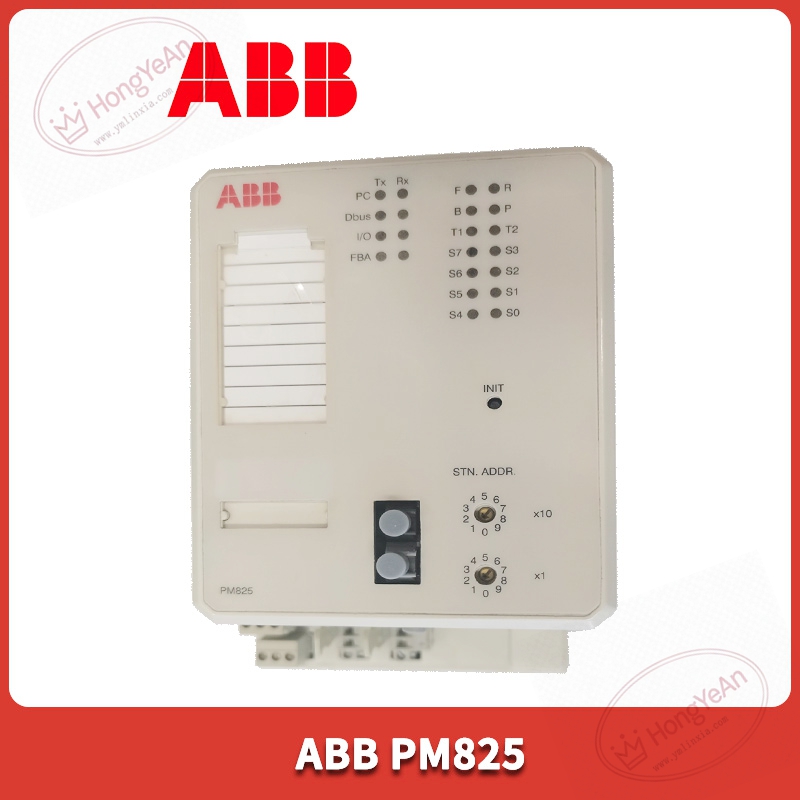
Key Technical Parameters
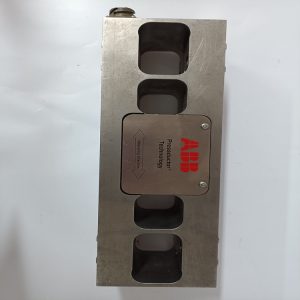
Device Type: Rack‑mount processor module Part Number: PM825, 3BSE010796R1 Main Processor: MC68360, 25‑MHz clock frequency Memory Resources: 1024 KB system Flash; 512 KB user application Flash; 1024 KB RAM for runtime execution Communication Interfaces: AF100 fieldbus interface, serial RS‑232 port, internal ModuleBus for local I/O rack connection Supported Protocols: AF100, Modbus RTU, DF1 and other ABB internal fieldbus protocols Programming Standard: IEC 61131‑3 programming languages Power Supply: 24 VDC, powered by control rack backplane bus, typical consumption ≤320 mA Status Indicator: Multi‑LED indicators for running status, fault alarm and communication diagnosis Mechanical: Rack plug‑in structure, IP20 protection for indoor cabinet installation, net weight approx 0.9 kg Operating Ambient Temperature: 0 ℃ ~ +60 ℃, non‑condensing Storage Temperature:‑25 ℃ ~ +70 ℃ Certification: CE, UL industrial certification Important Note: Cannot operate standalone. Must cooperate with corresponding I/O modules and terminal units. Firmware version shall match the whole DCS system. Wrong firmware will cause controller startup failure.
Practical Application Features
Runs real‑time user control logic, completes analog‑digital signal processing, loop calculation, interlock and protection logic for process control. Communicates with local S100 I/O rack via ModuleBus, exchanges data with remote stations through AF100 fieldbus. RS‑232 serial port supports connection with engineering workstation for program download‑upload and debugging. Supports multi‑task operation mode, reasonably distributes cycle time for different control tasks. Built‑in comprehensive hardware diagnosis function, can detect backplane fault, memory error and communication abnormality, and upload alarm information to upper monitoring system. Suitable for medium‑scale process‑control scenarios: thermal‑power auxiliary system, chemical plant unit control, paper‑making production line, water‑treatment DCS system, spare‑part replacement for old Advant OCS automation cabinets.
Field Installation & Commissioning Guidance
Power off DCS rack power before plugging or removing PM825 processor module. Insert it into designated rack slot and lock firmly to guarantee reliable backplane contact. Check AF100 bus wiring, confirm terminal resistance is installed at bus terminal end. Connect RS‑232 engineering cable between module and engineering workstation. Complete hardware configuration in Advant engineering tool, download matching firmware and user application program. After power‑on, observe LED status indicators of the processor module, confirm no hardware fault alarm. Verify data interaction between processor and each I/O module, test logic execution and field signal acquisition function. Keep cabinet good ventilation, avoid long‑time operation under excessive ambient temperature to prevent premature aging of on‑board electrolytic capacitors. For long‑term running equipment, regularly check rack power‑supply quality and terminal‑block tightening condition.
In‑Site Troubleshooting Reference
- All status LEDs keep off: Check rack backplane 24VDC power supply; inspect poor backplane contact or internal power‑circuit damage on PM825 hardware.
- Controller startup failure: Mismatched firmware version; corrupted application program; Flash memory chip damage. Re‑download matched firmware and project.
- Cannot communicate with local I/O modules: Poor ModuleBus backplane contact; wrong hardware configuration setting in engineering software.
- AF100 fieldbus communication intermittent dropout: Missing bus terminal resistor; bus cable damage; severe electromagnetic interference. Check bus wiring and cabinet grounding.
- Program logic execution abnormal: Program cycle‑time overrun; configuration parameter error; inconsistent firmware between processor and peripheral I/O modules.
- Random fault alarms without fixed rules: Cabinet internal overtemperature; power‑supply voltage fluctuation; poor cabinet shielding‑grounding. Improve heat‑dissipation and power‑supply quality.
Reviews
There are no reviews yet.