

Description

Core performance characteristics
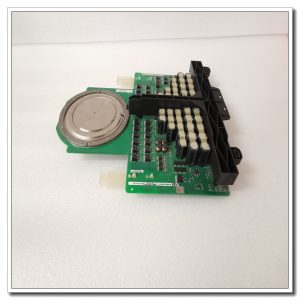
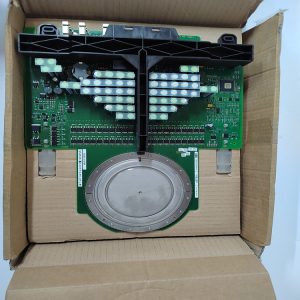
Order code 3BSE003832R1 corresponds to SC510 carrier hardware. It fits standard Advant controller rack slot with rear‑side backplane connector for system bus connection. Multiple internal slots accept different sub‑modules for serial communication or special processing functions. It distributes rack‑supplied power to inserted sub‑modules and handles bidirectional high‑speed data forwarding between sub‑modules and main control unit. Front‑panel RUN and FAULT LED indicators reflect carrier operating status and sub‑module recognition failures. Working temperature range 0℃ ~ +55℃, storage‑25℃ ~ +70℃, IP20 protection rating for cabinet‑only installation. Hardware structure adopts anti‑vibration reinforcement design to adapt to factory cabinet vibration conditions. Typical power consumption depends on the sub‑modules plugged‑in.
Field usage conditions
Commonly deployed inside Advant Controller 400 / 450 DCS racks for power plants, chemical process facilities and pulp‑paper plants. When main controller needs extra communication interfaces or dedicated function sub‑modules, SC510 serves as intermediate carrier hardware. It supports on‑site system expansion without replacing the whole controller rack. Widely used for existing plant DCS spare‑part replacement during equipment overhaul and retrofit projects. Stable mechanical locking structure guarantees reliable contact under long‑term running, avoids intermittent communication caused by loose sub‑module insertion.
Practical deployment considerations
All plug‑in and removal operations must be performed after rack power is cut off. Hot‑swap is not allowed, which may damage backplane bus and sub‑module chips. Check rear backplane connector pins for bending, oxidation or dirt before installation. Make sure the carrier is fully seated and rack locking latches are secured. Select matched sub‑modules compatible with SC510 hardware revision. Mismatched sub‑module versions will lead to identification failure or abnormal data transmission. Maintain good cabinet ventilation around the rack. Dust accumulation on carrier circuit board will increase contact resistance and cause intermittent faults. Do not disassemble circuit board on‑site; replace whole carrier unit when hardware defect occurs.
Typical on‑site symptoms & handling ideas
- FAULT LED lit after power‑on: Re‑seat all inserted sub‑modules. Inspect back‑plane connector condition. Confirm sub‑module hardware versions are compatible with SC510. Swap spare carrier for comparison test.
- Sub‑module cannot be recognized by controller: Check whether sub‑module slot is fully locked. Clean gold‑finger contacts of sub‑module. Verify system configuration software has enabled corresponding slot resources.
- Intermittent communication errors of sub‑modules: Check cabinet vibration condition. Confirm rack locking latches are tightened. Eliminate dust and oxidation on connector contacts. Observe cabinet ambient temperature to avoid over‑heating.
- RUN indicator stays dark: Confirm rack backplane power supply output is normal. Inspect rear connector insertion status. If external power is normal, it indicates internal hardware damage of SC510 carrier, implement spare‑part replacement.
Reviews
There are no reviews yet.