

Description

Core performance characteristics
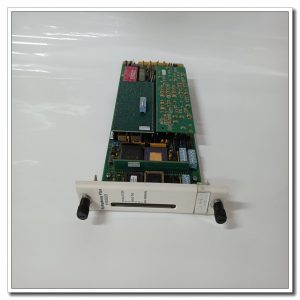
3BSE008105R1 is the complete hardware order number for SC560. Designed for Advant controller rack installation, connecting to system backplane via rear connector. Multiple front slots can accommodate different sub‑modules for serial communication interfaces or special processing functions. The carrier distributes rack power supply to each inserted sub‑module and takes charge of bidirectional data transmission between sub‑modules and main controller unit. Front‑mounted LED indicators display running status and fault alarm information for quick on‑site judgment. Operating ambient temperature 0℃ ~ +55℃, storage temperature‑25℃ ~ +70℃, IP20 protection grade, for cabinet‑internal use only. Mechanical structure is reinforced against vibration, adapting to industrial cabinet operating environment. Actual power consumption varies according to the types and quantity of installed sub‑modules.
Field usage conditions
Mainly used in DCS control cabinets of power generation, chemical and pulp‑paper industries, matching Advant AC400 / AC450 controller racks. When the main controller needs additional communication ports or special function sub‑modules, SC560 serves as the expansion carrier. It realizes system function expansion without replacing the whole controller rack. Frequently used as spare parts for on‑site overhaul and old‑system renovation projects. Reliable locking mechanism ensures stable contact of sub‑modules under long‑term operation, preventing unstable communication caused by loose insertion.
Practical deployment considerations
All insertion and removal operations must be completed with rack power completely disconnected. Hot‑plugging is forbidden, otherwise backplane bus and sub‑module chips may be burnt. Before installation, inspect rear backplane connector pins for bending, oxidation or dirt. Ensure the carrier is fully pushed in and rack locking buckles are fastened. Select sub‑modules that match the hardware revision of SC560. Version mismatch will result in module identification failure or abnormal data interaction. Keep good ventilation inside control cabinet. Dust accumulated on circuit boards will raise contact resistance and trigger intermittent faults. On‑site disassembly of circuit board is prohibited; replace the whole carrier unit once hardware failure occurs.
Typical on‑site symptoms & handling ideas
- Fault LED lights up after power‑on: Re‑insert all sub‑modules firmly. Check the status of backplane connector. Confirm sub‑module hardware versions are compatible. Use spare carrier for contrast test.
- Controller fails to detect sub‑modules: Confirm sub‑modules are fully locked in slots. Clean the gold‑finger contacts of sub‑modules. Verify corresponding slot resources are activated in system configuration software.
- Intermittent communication faults of sub‑modules: Evaluate cabinet vibration condition and tighten rack lock buckles. Remove dust and oxide layer on connectors. Monitor cabinet temperature to avoid overheating.
- Run LED keeps off: Verify backplane power output is normal and rear connector is properly inserted. If external power supply is normal, internal hardware damage of SC560 shall be judged and spare‑part replacement is required.
-300x300.jpg)
Reviews
There are no reviews yet.