

Description

Physical appearance
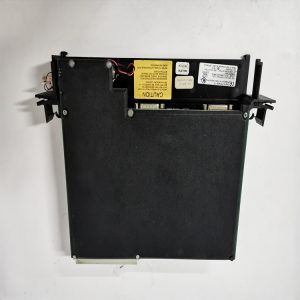
Integrated metal fan tray assembly, fits standard control rack slot. ‑ Front side: ventilation grille, several LED indicators for fan running status and fault alarm. Part number label printed: 0880001‑01. ‑ Inside assembly: multiple DC cooling fans fixed inside metal frame. ‑ Rear: multi‑pin plug‑in connector, connects rack backplane for power supply and fault signal feedback. ‑ Equipped with pull‑out handle for convenient disassembly and maintenance without taking apart whole rack. ‑ No signal terminals for process I/O; only power and fault alarm signal lines.
Core practical capabilities
Power supply: 24 VDC from rack backplane. Built‑in fan speed monitoring circuit. Detects fan stall and speed drop; fault alarm signal will be sent to main control CPU once abnormality occurs. Air flow parameter is matched with heat dissipation demand of turbine control rack. Operating temperature: 0‑60 ℃, IP20, cabinet‑only installation. Quick‑pull structure supports hot‑swap replacement while rack remains online, no need to disconnect other module wiring. Weight approx 0.7‑0.9 kg.
Real‑world usage
Installed in GE Speedtronic Mark VI / Mark VIe gas‑turbine control cabinets. It dissipates heat generated by CPU and various plug‑in boards inside rack. If fan assembly fails, internal temperature will rise rapidly, which may trigger over‑temperature protection and unit trip. This unit serves as necessary maintenance spare for existing turbine projects. After replacement, verify fan rotation status and fault alarm signal, no modification of control logic program.
Installation reminders
Pull‑out handle shall be locked tightly after installation to guarantee air‑duct sealing effect. Keep cabinet air intake and exhaust channels unobstructed. Do not block ventilation grille. Confirm 24 VDC power connector locks firmly. Loose contact will cause fan stop and false fault alarm. Do not disassemble metal frame on‑site. When internal fan damage occurs, replace whole fan tray assembly directly.
Typical troubleshooting thoughts
- Fan not running after power‑on: Check rack back‑plane 24 VDC power supply, inspect multi‑pin connector locking condition.
- System reports fan fault alarm: Observe actual fan rotation. If fan runs normally but alarm persists, inspect speed‑monitor circuit of fan tray.
- Abnormal large noise: Dust accumulation inside fan, bearing aging. Clean dust or replace spare assembly.
- Intermittent fan stop: Check connector vibration‑loosening risk caused by cabinet mechanical vibration.
Reviews
There are no reviews yet.