

Description
Core performance features
DIN‑rail modular housing, light‑grey plastic shell. Power supply: 24 VDC, typical working current 200 mA. Max Profibus‑DP baud rate reaches 6 Mbaud. Non‑volatile memory stores complete module configuration parameters. Users can finish parameter setting via local service port or Profibus‑DP host side. Built‑in comprehensive diagnostic function, it can detect I/O rack bus failure, module abnormal and channel fault information, diagnostic message upload to upper host system. Supports HART transparent transmission, HART process variable and status data can be transmitted in Profibus‑DP cyclic telegram. Environmental index: operating temperature range 0‑60 ℃, IP20, only for cabinet inner installation. Weight about 0.35 kg.
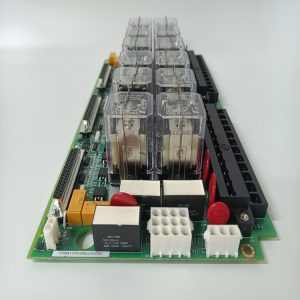
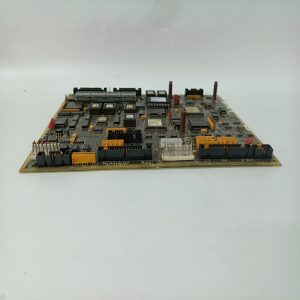
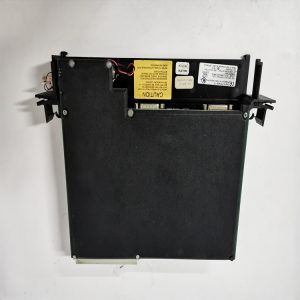
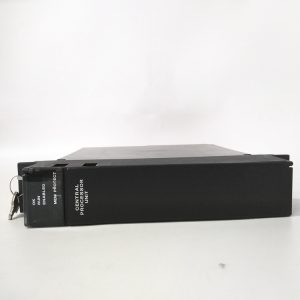
Physical appearance
Light‑grey plastic rectangular housing, standard DIN rail mounting structure. ‑ Front side: DB9 Profibus‑DP communication socket, small local service debug port; several LED lamps to display power, bus communication and module fault status. Model marking 8502‑BI‑DP printed on front label. ‑ Bottom side: metal spring buckle for snapping onto DIN‑35 rail. ‑ Rear contact base: connect to MTL8000 back‑plane rack, supply power and internal back‑plane bus communication. ‑ No field signal terminals on this module, all field sensors connect to MTL8000 series I/O base units. Replace module without modifying field wiring.
On‑site application scenarios
Mainly deployed in petrochemical plant control cabinets. It connects MTL8000 series safety I/O cards to Profibus‑DP PLC/DCS host. It collects pressure transmitters, flow instruments and switch signals, realizes HART instrument remote debugging through DP bus. After module damage, replace spare directly. No need to revise control program, just download configuration file and verify bus link status.
Installation & operating notes
Install on standard DIN35 rail, keep cabinet ventilation, avoid surrounding high‑temperature equipment heat radiation. Profibus‑DP cable must use Profibus‑specified shielded cable, keep separate from high‑power cables, terminate bus terminal resistor at the end of DP network. Save project configuration before replacement. Confirm firmware version consistency after installing new spare. Do not open plastic housing on‑site. When hardware fault occurs, replace whole unit directly; component‑level repair is forbidden.
Common field phenomena & disposal thoughts
- Power indicator stays off: Check 24 VDC power supply, re‑install module on DIN rail. If power input is normal, module hardware damage is suspected.
- Profibus‑DP communication intermittent / offline: Check DP cable shielding, terminal resistor setting, station address parameter. Clean dust on back‑plane contact.
- Cannot read HART instrument data: Confirm configuration enables HART pass‑through function, check firmware compatibility.
- Module reports diagnostic alarm: Check each I/O module status on the rack, eliminate field channel short‑circuit and open‑circuit faults.

Reviews
There are no reviews yet.