

Description

Core performance features
VME standard slot‑in board, powered by rack backplane 5 VDC, no separate external power supply required. Communication interfaces: 10BASE‑T RJ45 copper port; partial hardware versions support 10BASE‑2 BNC and 10BASE‑FL optical fiber interface. Fixed 10 Mbit/s transmission speed, auto‑negotiation function is not available. Protocol list: DNP3 over TCP/IP, Modbus TCP, IEC 60870‑5‑104, Telnet, FTP, simple web server for local status browsing. Supports static IP and DHCP address assignment. Memory configuration: onboard 8 MB / 16 MB battery‑backed SRAM plus flash storage. It stores configuration files, event records and SOE sequence‑of‑event time‑stamped logs, preventing data loss during short‑time power failure. Works cooperatively with D20 main CPU; it undertakes network protocol processing task, reduces CPU resource occupation. Environmental performance: operating temperature‑40 ℃ ~ +70 ℃; storage temperature‑55 ~ +85 ℃; humidity 5‑95 % non‑condensing, IP20 degree, cabinet‑inside installation only. Meets IEC 61008 series EMC anti‑interference standards for power substation harsh electromagnetic environment.
Physical appearance
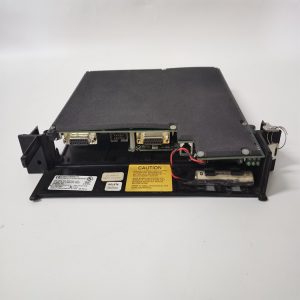
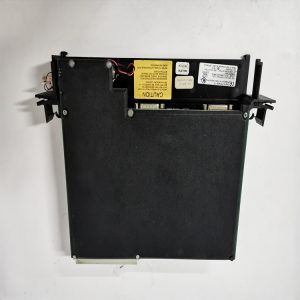
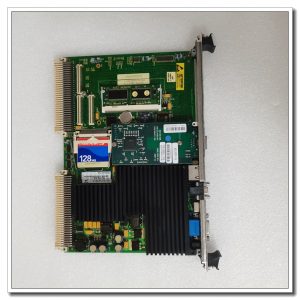
Standard VME 6U height metal‑framed plug‑in card, insert horizontally into D20 / D200 chassis slot. ‑ Front panel: RJ45 network socket, several LED indicators for power, link activity and module fault; label printed with part‑number D20‑EME. ‑ Rear: VME golden‑finger contact for backplane power supply and internal bus data exchange. ‑ No field signal terminal blocks; all external network connections are finished on front‑panel RJ45 port. ‑ Small lithium battery on‑board for SRAM data retention, battery aging is a common failure point for old modules.
On‑site application scenarios
Installed inside power‑plant and substation automation cabinets, matched with D20 / D200 RTU remote terminal unit. It uploads measuring data, alarm information and SOE event records to dispatching host system via ethernet. It also accepts remote configuration command from upper monitoring workstation. If this expansion board fails, ethernet communication channel will be interrupted, network‑based remote monitoring function will be lost, serial‑port channel can still keep partial system running. After spare‑part replacement, download original project configuration, set network IP address, verify protocol data interaction, check event‑log recording function before online operation. Pay attention to matching firmware version with D20 main CPU.
Installation & operating notes
Though hot‑swap is theoretically supported under redundant rack structure, power‑off operation is recommended for replacement in actual substation maintenance to avoid scratch and oxidation on VME golden‑finger contacts. Network cable shall adopt shielded twisted‑pair, separate from high‑voltage power cables to restrain electromagnetic interference causing link instability. Pay attention to on‑board backup lithium‑battery status. When battery voltage drops, historical stored data will be lost after power‑off. Replace battery according to maintenance cycle. Do not arbitrarily open metal panel housing. Component‑level disassembly will void relevant industrial certification. Replace whole unit for permanent hardware circuit damage.
Common field phenomena & disposal thoughts
- Front‑panel indicators completely dark after rack power‑on: Inspect VME back‑plane power supply condition. Re‑seat module firmly in slot. If backplane power is normal, internal circuit damage is suspected.
- Ethernet link flickering frequently: Check network cable quality and crimping condition. Confirm opposite‑end network device force‑set to 10 Mbps half‑duplex mode (auto‑negotiation is not supported by D20‑EME). Check cabinet dust and temperature rise.
- Cannot upload SOE event records: Verify firmware compatibility between EME module and main CPU. Check memory battery voltage status. Confirm time synchronization parameter setting.
- Module cannot load configuration file: Check whether available SRAM memory space is sufficient. Re‑download project file, restart D20 rack.
- Module offline reported by host: Clean oxidation on VME golden‑finger contacts. Confirm internal VME‑bus communication of chassis works normally.
Reviews
There are no reviews yet.