Description
Core performance features
‑ Display: 4‑line × 16‑character backlit alphanumeric LCD, supporting multi‑language menu switching for field reading under different lighting conditionsQualitrol. ‑ Keypad: 20‑key sealed membrane keypad, dust‑proof and splash‑proof for industrial workshop environment. Equipped with physical key‑lock switch to restrict unauthorized parameter modification and prevent mis‑operationQualitrol. ‑ Communication: Genius bus interface (RS‑485 physical layer), default baud rate 125 kbps. Supports hot‑connection to live Genius bus without interrupting normal bus operation; maximum accessible bus distance can reach about 700 meters. ‑ Power mode: Built‑in rechargeable battery pack; continuous offline working time can reach up to 6 hours. It also supports external 115‑230 V AC charger power supply. Auto‑power‑off function can be triggered after 10 minutes of inactivity, and this auto‑off function can be manually disabled for long‑time debugging work. ‑ On‑board storage: Non‑volatile memory stores recently accessed station addresses, module information and partial fault diagnostic records, avoiding repeated manual input during multiple debugging operations. ‑ Supported functions: Scan all Genius bus stations, view real‑time DI/DO/AI/AO data, force digital input/output points, modify module safety‑fallback values, read fault diagnostic codes, view bus communication status and cycle time. ‑ Environmental parameters: operating temperature 0‑60 ℃; storage temperature‑40‑+70 ℃; humidity 5‑95 % non‑condensing; IP65 protection grade, suitable for field cabinet‑side operation, not limited to inside closed cabinet. ‑ Physical dimension: approx 152 mm × 89 mm × 51 mm; weight around 0.3 kg (battery included), easy for staff to carry around site. ‑ Compatibility note: Different firmware revisions have different compatibility for old Genius I/O modules. Mismatched firmware may cause partial I/O stations unrecognizable. It is recommended to match firmware version when replacing spare unitsQualitrol.
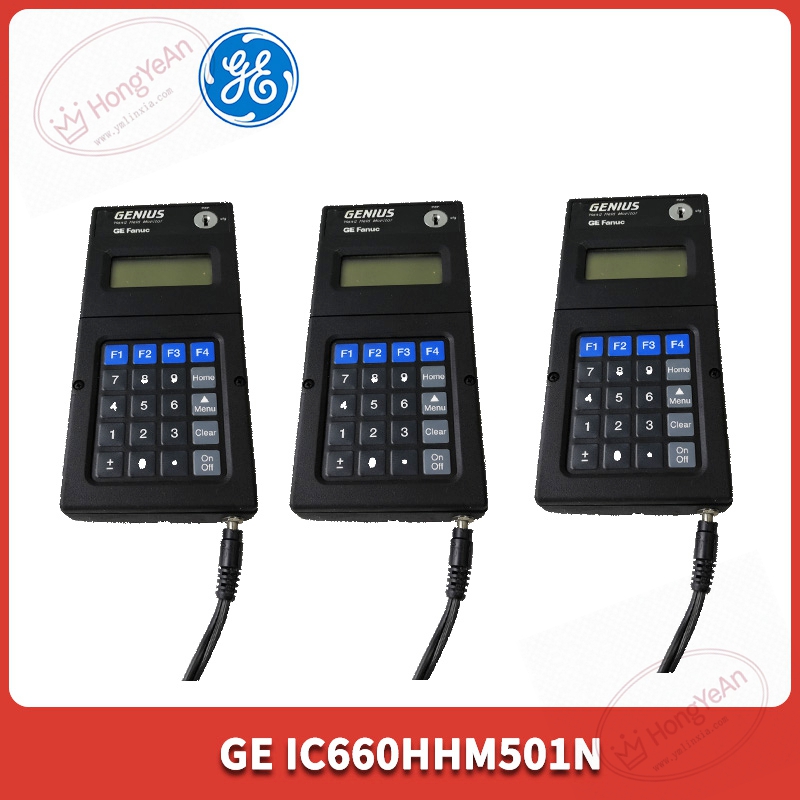
Physical appearance
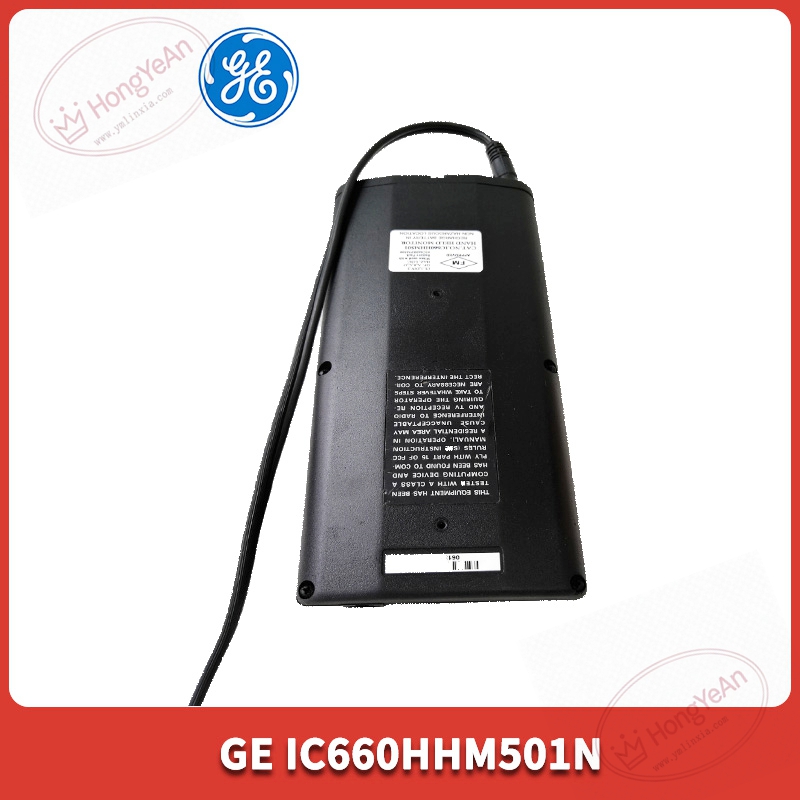
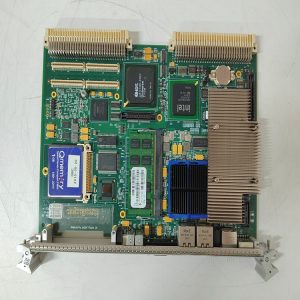
Compact black handheld plastic housing, not rack‑insert plug‑in PCB board. ‑ Front panel: backlit LCD display window, 20‑key membrane keypad, key‑lock switch; model label printed with IC660HHM501N. ‑ Side position: circular Genius bus multi‑pin interface for connecting Genius bus cable; external charging power jack for AC charger connection. ‑ No backplane golden‑finger contacts; all signal interaction is finished through side circular connector. ‑ Can be fitted with optional protective carrying case for field‑site transportation and storage。
On‑site application scenarios
Applied in petrochemical, power‑plant and factory automation control cabinets equipped with GE Genius distributed I/O system. When Genius I/O network has communication anomaly, channel fault or need point‑forcing test, maintenance personnel connect this handheld monitor directly to Genius bus terminals. Without moving HMI workstation or configuring laptop software, technicians can quickly locate faulty I/O stations, check fault codes and verify interlock logic performance. If this handheld monitor fails, on‑site quick debugging function will be lost, but it will not affect normal running of original Genius control system. After replacement, confirm firmware compatibility, test bus connection and point reading function before formal use.
Installation & operating notes
‑ This device supports hot‑plug onto live Genius bus, but avoid violent plug‑pull to prevent damage to circular multi‑pin connector pins. ‑ Genius bus cables shall adopt standard shielded cables, keep physical separation from high‑power power cables to reduce interference causing communication reading jump. ‑ Pay attention to battery status. When battery ages, offline working duration will be shortened. Charge battery regularly when stored for long‑term. ‑ Do not disassemble sealed housing on‑site. Membrane keypad and internal battery are wearing parts. Hardware damage requires whole‑unit replacement. Component‑level repair will invalidate industrial certification.
Common field phenomena & troubleshooting
- No screen display after power‑on: Check battery charge status; test with external AC charger to judge whether internal battery is aging and failed.
- Fail to communicate after connecting Genius bus: Inspect circular connector locking condition, check Genius bus terminal resistance setting, confirm baud‑rate consistency.
- Partial Genius I/O stations cannot be identified: Verify firmware revision of HHM unit; old‑generation I/O modules need corresponding older firmware version for full identification.
- Membrane keypad insensitive / partial keys invalid: Long‑term industrial dust and wear cause keypad aging; clean keypad surface or replace whole handheld unit.
- Read values jump randomly: Check surrounding strong electromagnetic interference sources, inspect bus cable shielding integrity.
-1-1-300x300.jpg)
Reviews
There are no reviews yet.