


Description
Hardware & Electrical Specifications
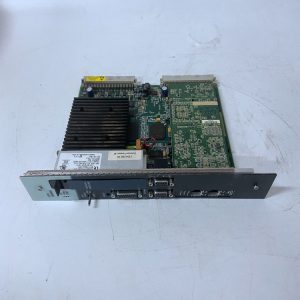
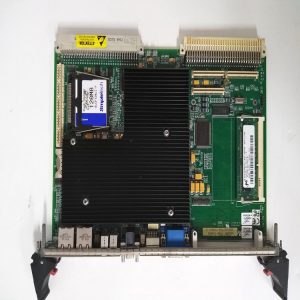
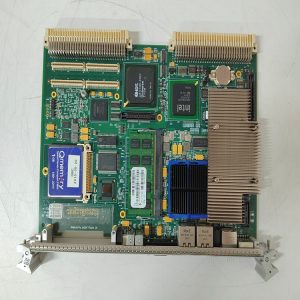
‑ Model: IC695PNC001 ‑ Part Number: IC695PNC001 ‑ Module Type: RX3i PROFINET IO‑Controller Module, occupies 1 single slot on universal backplane ‑ Mounting: Main‑rack universal backplane IC695CHS series only; installation on expansion backplanes is prohibited ‑ Backplane power consumptionQualitrol: • +3.3 VDC: 0.5 A nominal (no SFP modules); maximum 1.2 A with two SFP modules fitted • +5 VDC: 1.5 A maximum ‑ PROFINET compliance: PROFINET IO Version 2.2, RT / IRT real‑time, MRP ring redundancy ‑ Network interfaces: • 2 × RJ45 shielded 10/100/1000 Base‑TX, auto‑negotiation, auto‑MDI‑X • 2 × SFP cages for fiber/copper SFP transceivers (SFP modules not included) • One micro‑USB port: CLI diagnostics, local configuration, temporary service use only ‑ IP assignment: Single IP address shared for all PROFINET ports ‑ IO‑device capacity: • Max 64 IO‑Devices per PNC controller • Max 255 total IO‑Devices per RX3i CPU (across up to four PNC modules) ‑ IO data update cycle: Configurable 1 ms, 2 ms, 4 ms, 8 ms, 16 ms, 32 ms, 64 ms, 128 ms, 256 ms, 512 ms ‑ IO data memory: 128 KB combined input/output per PNC module ‑ Hot‑swap: Supported (RIUP, Remove and Insert Under Power) ‑ Local control: Recessed restart push‑button for soft module reset without rack power‑cycle ‑ Diagnostics: Module self‑test, link status, frame error counters, MRP ring status, time‑stamped diagnostic logs synchronized with RX3i CPU system clock ‑ PCB treatment: Conformal coated for dust, moisture and corrosion resistance ‑ Compatibility note: Compatible with IC695CPU315, CPU320, CRU320, CPE‑series CPUs with required minimum firmware revisions. PNC modules must be placed in main rack, cannot reside on expansion racks. Verify total backplane power budget before installation. Full hardware configuration download and PROFINET device commissioning test must be performed after replacement.
Environmental Specifications
‑ Operating temperature: 0 ℃ ~ +60 ℃ ‑ Storage temperature: ‑40 ℃ ~ +85 ℃ ‑ Relative humidity: 5%‑95% non‑condensing ‑ Installation location: Indoor control cabinet, IP20 protection class ‑ EMC compliance: IEC 61000‑6‑2 ‑ Certifications: CE, UL Class I Div 2 hazardous‑location certification
Mechanical Data
‑ Weight: approx 0.44 kg ‑ Dimension: RX3i single‑slot module form‑factor ‑ Handling note: ESD‑sensitive high‑speed communication circuitry. Use industrial‑grade shielded CAT5e/CAT6 cable for RJ45 connections. SFP transceivers shall comply with GE specified hardware list. Micro‑USB port is for temporary service access only.
Main Functions
- Acts as PROFINET IO‑Controller for RX3i system, establishes deterministic real‑time data exchange with PROFINET field devices, remote VersaMax scanner I/O stations over gigabit industrial Ethernet. Supports MRP ring redundancy to improve network fault‑tolerance.
- Multi‑port Ethernet design supports star, line daisy‑chain and ring network topologies, either copper via RJ45 or fiber via SFP transceivers.
- Micro‑USB CLI interface provides on‑site local diagnostics and parameter setup without full programming software.
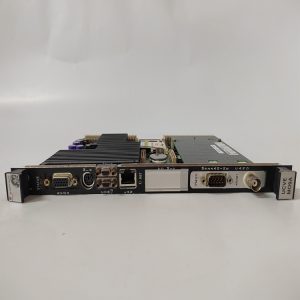
- Front‑panel LED indicators: ‑ Green MOD OK: Module hardware normal status ‑ Red LAN FLT: Network / configuration / ring redundancy fault ‑ STATUS: Module operational state ‑ CONFIG: Configuration download active ‑ ACTIVE: PROFINET IO‑Controller in active control state ‑ USB: USB port activity ‑ Port 1 / Port 2 / SFP1 / SFP2: Link / activity status per physical port
Installation & Wiring Requirements
- Initial installation: cut off full rack power supply. Hot‑swap replacement is permitted. Apply ESD protection during module handling.
- Insert IC695PNC001 into main‑rack RX3i universal backplane single slot and engage locking latch. Install compatible SFP transceivers if fiber communication is required.
- Network wiring comply with GE RX3i hardware manual GFK‑2571. Use shielded twisted‑pair cables for copper PROFINET connections. For MRP ring topology, configure one device as MRP‑Manager. Reliable protective‑ground connection is mandatory.
- After replacement: Power‑on rack power, check front‑panel LED status. Download hardware configuration and project application. Complete PROFINET device commissioning, verify real‑time IO data exchange and redundancy ring function if deployed.
- Replacement note: Confirm host CPU firmware meets minimum requirement. Validate IP address conflict risk within plant network. Full‑system commissioning test is mandatory before putting into service.
Reviews
There are no reviews yet.