

Description
Hardware & Electrical Specifications
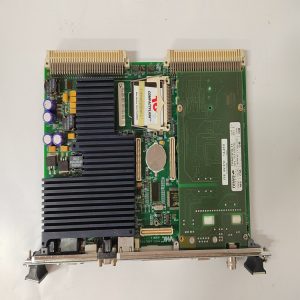
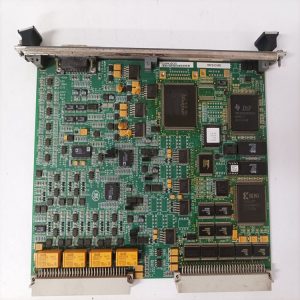
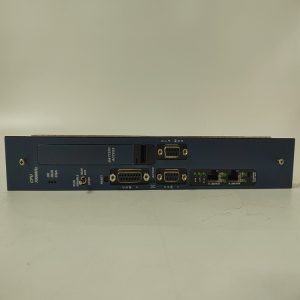
‑ Model: IC697CMM742 ‑ Part Number: IC697CMM742 ‑ Module Type: Series 90‑70 Type‑2 Ethernet Interface Module, occupies one slot on Series 90‑70 backplane ‑ Mounting: Series 90‑70 main CPU rack only; installation in expansion racks is prohibited ‑ Backplane power consumption: • +5 VDC: 2.0 A maximum • +12 VDC: 0.5 A maximum ‑ Ethernet interfaces (10 Mbps IEEE802.3, one active interface at one time): • 10Base‑T RJ45 copper twisted‑pair • 10Base2 BNC thin‑coaxial • 15‑pin AUI port for external transceiver supporting 10Base5, fiber and other media ‑ Serial interfaces: • RJ‑11 RS‑232 Station‑Manager port: local diagnostics and IP configuration • 15‑pin D‑Sub RS‑485 port: dedicated for firmware download and upgrade ‑ Supported protocols: SRTP, EGD (Ethernet Global Data), Modbus‑TCP Client / Server, BOOTP, DNS, SNMP, HTTP web‑based diagnostics ‑ Concurrent TCP connections: Max 32 connections ‑ CPU firmware requirement: Series 90‑70 CPU firmware V6.00 and above ‑ Diagnostics: Module self‑test, link status, communication error counter, EGD exchange status, fault messages reported to Series‑90‑70 CPU ‑ PCB treatment: Conformal coated for dust, moisture and corrosion resistance ‑ Compatibility note: Designed exclusively for Series 90‑70 platform, cannot work with RX3i hardware. Full rack power‑off required for module replacement, hot‑swap is prohibited. After replacement, download hardware configuration, verify IP address, EGD exchange tables and Modbus‑TCP communication.
Environmental Specifications
‑ Operating temperature: 0 ℃ ~ +60 ℃ ‑ Storage temperature: −40 ℃ ~ +85 ℃ ‑ Relative humidity: 5%‑95% non‑condensing ‑ Installation location: Indoor control cabinet, IP20 protection class ‑ EMC compliance: IEC 61000‑6‑2 ‑ Certifications: CE, UL Class I Div 2 hazardous‑location certification
Mechanical Data
‑ Weight: approx 0.50 kg ‑ Dimension: Series 90‑70 standard single‑slot module form‑factor
Main Functions
- Provides industrial Ethernet interface for Series 90‑70 PLC, supporting PLC program upload/download, SCADA host communication, high‑speed peer‑to‑peer EGD data exchange among multiple controllers, and connection to third‑party Modbus‑TCP instruments and devices.
- Multi‑media physical interfaces support twisted‑pair, thin‑coaxial, and fiber via external AUI transceiver for flexible field wiring solutions.
- Local Station‑Manager serial port allows on‑site IP setting and fault troubleshooting without plant network access.
- Front‑panel LED indicators: ‑ Green MOD OK: Module self‑test passed ‑ Green LAN ONLINE: Ethernet link established ‑ SERIAL ACTIVE: Serial port communication activity ‑ STATUS: Module operational status
Installation & Wiring Requirements
- Cut off full rack power supply before installation or replacement. Hot‑swap is not permitted. Apply ESD protection during module handling.
- Insert IC697CMM742 into free slot of Series 90‑70 main‑rack backplane and fasten module latch. Select one valid Ethernet media for connection, leave other interfaces unused.
- Network wiring shall comply with reference manual GFK‑1314H. Use shielded twisted‑pair cables for copper connection; install proper terminators for coaxial network. Reliable protective‑ground connection is mandatory.
- After replacement: Power‑on rack power and check front‑panel LED status. Download hardware configuration project, configure IP address, subnet mask, gateway and EGD exchange tables. Verify programming download, EGD data exchange and Modbus‑TCP read‑write function.
- Replacement note: Confirm host CPU firmware meets minimum revision requirement; avoid IP address conflict within plant network. Full‑system commissioning test is mandatory before putting into service.
-300x300.jpg)
Reviews
There are no reviews yet.