

Description
Technical background
Comes with embedded processor, onboard RAM and flash memory. It supports VME bus communication, multiple serial ports and Ethernet interfaces for data interaction with upper monitoring system and field acquisition boards. Real‑time embedded system runs on this board to complete logic calculation, signal processing and fault data recording. Power is obtained from VME rack backplane without extra external power terminals. Operating ambient: cabinet inside 0‑60℃; storage‑40‑85℃; humidity 5‑95% non‑condensing; IP20 cabinet‑mount only. Compatibility reminder: Install in standard 6U VME slot. Replacement shall use matched firmware and project image; version inconsistency will cause boot failure or communication anomaly.

Physical construction
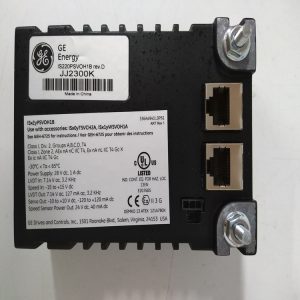
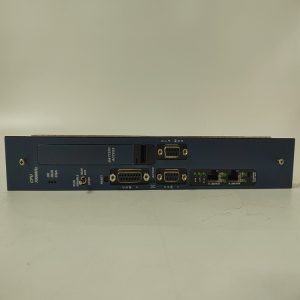
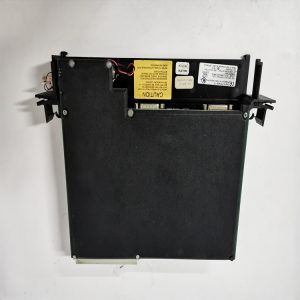
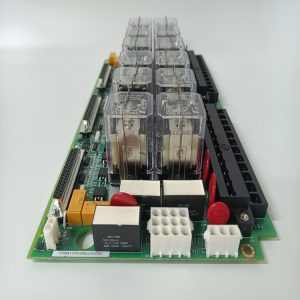
6U VME slot‑type single‑board computer. Front panel is equipped with status LED lamps, Ethernet and serial debugging interfaces. Rear golden‑finger connector connects to VME backplane for power supply and high‑speed bus signal transmission. Part number VME162PA344SE is printed on PCB silkscreen and sticker. Circuit traces are covered with conformal coating, adapting to dust and trace corrosive gas inside power‑plant cabinets.
Real‑world site deployment
Mainly applied in early GE turbine control racks and large‑scale industrial automation devices. Responsible for executing unit control logic, collecting I/O data and uploading operation information to HMI/SCADA. Board hardware failure results in device boot failure, VME bus communication breakdown and suspension of control logic. After replacement, check golden‑finger contact condition, write corresponding firmware and project configuration, complete startup test, verify bus and network data exchange before putting into service.
Installation & maintenance notes
Power off the whole rack during disassembly‑replacement work, adopt anti‑static measures, avoid scratching golden‑finger contacts. Ensure cabinet ventilation condition, high ambient temperature will accelerate aging of memory and chip components. Backup original system image before replacement. Component‑level disassembly and repair on‑site is not allowed; replace full board under permanent hardware damage.
Typical on‑site fault phenomena
- Board fails to boot and fault LED stays on: Check VME backplane power supply, re‑seat board, confirm firmware image integrity.
- VME bus communication abnormal: Check golden‑finger for dust and oxidation, exclude backplane failure, judge board internal circuit damage.
- Random crash and restart: Inspect cabinet operating temperature; evaluate aging risk of onboard memory chip.
- Ethernet or serial port no response: Eliminate external cable fault, judge damage of onboard communication circuit.
Reviews
There are no reviews yet.